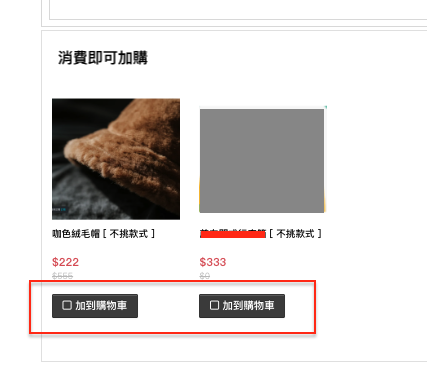
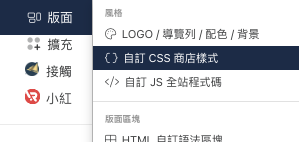
後台設定路徑:版面>自訂CSS商店樣式。
請將以下語法,貼入後,範例中的「E2583E」,請修改成您要設定的「十六進位值色碼」。
button.btn_add_price1.button-inverse.ck_buy_tgr,
.btn_add_price1.button-inverse.ck_buy_tgr,
.buy_together_list button.button-inverse,
button.btn_add_price1.button-inverse.ck_buy_tgr:hover,
.btn_add_price1.button-inverse.ck_buy_tgr:hover,
.buy_together_list button.button-inverse:hover {
    background: #E2583E !important;
    background-color: #E2583E !important;
    background-image: none !important;
    filter: none !important;
    border-color: #E2583E !important;
    box-shadow: none !important;
    color: #FFFFFF !important;
}
這篇文章是否有幫助?
太棒了!
感謝您提供意見回饋
抱歉,沒能幫到您
感謝您提供意見回饋
意見已發送
感謝您的寶貴意見,我們將嘗試修改這篇文章